



Here is the trap most people fall into. They buy the most expensive Mac they can afford and then carry a heavy creative machine around for tasks a featherweight laptop would have handled. Sound familiar? I did it too, years ago, and I winced every time I lifted that bag onto my shoulder. So let me push back on the usual advice. The best Mac is not the fastest one – it is the one shaped around the work you actually do, day after day.
- Start with the question nobody asks: where does the work happen?
- MacBook Air M4: the one you carry everywhere and forget you are holding
- MacBook Pro M4 and M5: when the work fights back
- Mac mini M4: the quiet money-saver hiding on your desk
- Trade-in and student pricing: the part that quietly shrinks the bill
- So which one should you actually buy?
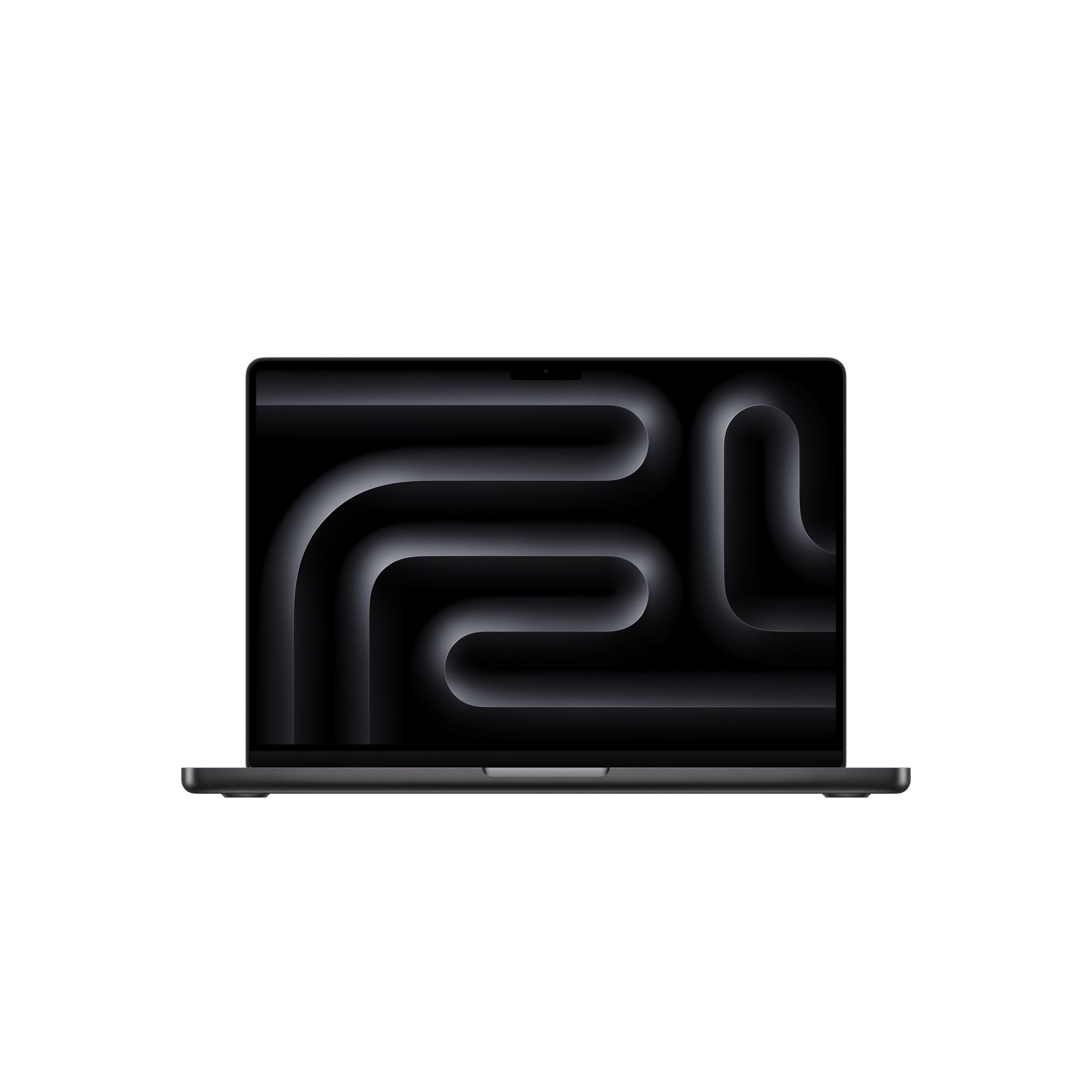
Apple sells three machines that cover almost every real job: the MacBook Air on M4, the MacBook Pro on M4 and M5, and the Mac mini on M4. They share the same Apple silicon DNA, so even the cheapest one feels quick. What changes is the body around the chip. And that body is the whole decision. Want to see the current lineup before we get into the weeds? Browse the genuine Apple range at iSTYLE here and keep this guide open in another tab.

Start with the question nobody asks: where does the work happen?
Before chips and benchmarks, answer one thing. Where do you sit when you actually work? On planes, in cafes and on the metro? At a single desk with two monitors? Somewhere in between? That answer narrows three choices to one faster than any spec sheet. I was skeptical that location mattered more than power – turns out it matters far more, because raw power is cheap now and your back and your budget are not.
So we will match each machine to a real person doing real jobs. No abstract numbers, just the trade-offs you will feel in week one. If you already know your answer, you can check live availability at iSTYLE and skip ahead.
MacBook Air M4: the one you carry everywhere and forget you are holding
The Air is fanless. That sounds like a footnote until you realize what it means in practice – silence, no heat on your lap, and a slab thin enough to slide into a bag you barely notice. Picture a student moving between lectures, a consultant living out of carry-on luggage, a writer who works from three different cafes a week. This is their machine.
And here is the part that surprised me. The M4 Air is not a “compromise” laptop anymore. It edits documents, juggles forty browser tabs, runs video calls, handles light photo work in Lightroom, and trims short clips without breaking a sweat. For maybe 90 percent of knowledge work, you genuinely will not feel a ceiling. Battery? It comfortably clears a full working day, which matters when the nearest socket is a gamble.
Who should skip the Air? Anyone doing hours of 4K video exports or heavy 3D every single day – the fanless design will eventually throttle under that punishment. But if your heavy days are occasional, not constant, the Air is the smart pick and the lighter bag is a daily gift. Curious which colour and configuration suits you? Compare MacBook Air models at iSTYLE here.

MacBook Pro M4 and M5: when the work fights back
Some jobs punish a laptop. Long 4K and 8K timelines. Colour grading. Music production with stacked plugins. 3D renders, large code compiles, machine learning experiments. For that kind of sustained load, the MacBook Pro exists – and the difference is not just speed, it is endurance. The active cooling lets the M4 Pro, M4 Max and the newer M5 chips hold their top performance for hours instead of minutes.
Then there is the screen, which honestly might matter more to creatives than the chip. The Liquid Retina XDR panel is bright, accurate, and built for HDR work. If your living is made in colour – photo retouching, film, design – editing on a display you can actually trust changes the output, not just the comfort. Why guess at a client’s reds on a washed-out panel?
The Air saves your back. The Pro saves your deadline. Buy for the heaviest day you repeat, not the heaviest day you fear.
Is it overkill for a freelancer who edits one reel a week? Probably, yes. I will be honest there. But for a full-time editor, a music producer, or a developer running heavy builds all day, the Pro pays for itself in time you stop losing to a spinning progress bar. If that is your life, see the MacBook Pro M4 and M5 options at iSTYLE and match the chip to your real workload.
Mac mini M4: the quiet money-saver hiding on your desk
Here is the option people forget, and it is often the smartest of the three. If you mostly work at one desk – your home office, a studio, a fixed workstation – why pay the “portable tax” baked into every laptop? The Mac mini gives you the same M4 power in a tiny box, usually for noticeably less money, because you supply your own screen, keyboard and mouse.
That trade is brilliant for a specific group. Students who already own a monitor. Office buyers kitting out a fixed team. Photographers and editors who want a clean two-screen setup without a laptop hinge in the way. You plug in the display you actually like, sit at a proper keyboard, and the desk feels like a real workstation instead of a hunched-over compromise. Setting up a fixed station? Check Mac mini availability at iSTYLE here.

The catch is obvious, so let me name it. It does not move. If your week involves any meaningful travel between work spots, the mini is the wrong tool no matter how good the value looks. But for the deskbound? It is the most Mac you can get per dirham, full stop.
Trade-in and student pricing: the part that quietly shrinks the bill
Now the money. The sticker price is rarely what you actually pay, and ignoring that costs people real cash. Got an older Mac, iPad or even a phone gathering dust? A trade-in program knocks a chunk straight off the new machine, and it spares you the hassle of selling privately. Students and teachers have an even better lever – education pricing, which lowers the cost on qualifying Macs before you add anything else.
Quick match: which Mac is yours?
Always on the move – MacBook Air M4. Light bag, all-day battery, zero noise.
Heavy daily creative work – MacBook Pro M4 or M5. Sustained power, pro display.
One fixed desk, tight budget – Mac mini M4. Most power per dirham.
Why does buying from an Apple Premium Partner matter here, and not just the lowest grey-market price you can find online? Because the savings only count if the machine is genuine and serviceable. iSTYLE is an Apple Premium Partner and an Apple Authorized Service Provider, so every device is real Apple stock with a local authorized service center behind it. If something goes wrong, you are not shipping your livelihood abroad and hoping. You can explore trade-in and education options at iSTYLE before you commit to a price.
The local conveniences stack up too. Express home delivery inside Dubai can land in around four hours, and order-online-with-store-pickup turns around in roughly 60 minutes. Cash flow tight this month? Flexible financing spreads it out – 0 percent installment plans through several UAE banks, Visa installments from about AED 42 a month, and buy-now-pay-later through Tabby and Tamara across 4 to 12 payments.
So which one should you actually buy?
Strip away the hype and it comes down to a simple sentence. Movement points you to the Air. Sustained heavy creative load points you to the Pro. A fixed desk and a careful budget point you to the mini. Match the machine to your most-repeated day, not your most-dramatic one, and you will almost never regret it.
One honest flaw before you go, because no guide is complete without it. The lines blur in the middle. A maxed-out Air can creep past the price of an entry Pro, and at that exact overlap the “obvious” choice gets genuinely murky – you will have to weigh portability against raw endurance yourself, and there is no clean rule for it. That grey zone is real. Everywhere else, the decision is clearer than the marketing makes it look.
My take? Pick the body first, the chip second, and let trade-in or education pricing soften the bill. Then buy from somewhere that backs the machine locally, so a fault is an inconvenience and not a crisis. Ready to match a real Mac to your real work?